Sign in with your student email
Use your @mytudublin.ie address. We’ll send you a six-digit code.
Dates, friends, or both. Meet TU Dublin students across all five campuses.
On iPhone? Open Unies in Safari and add it to your Home Screen.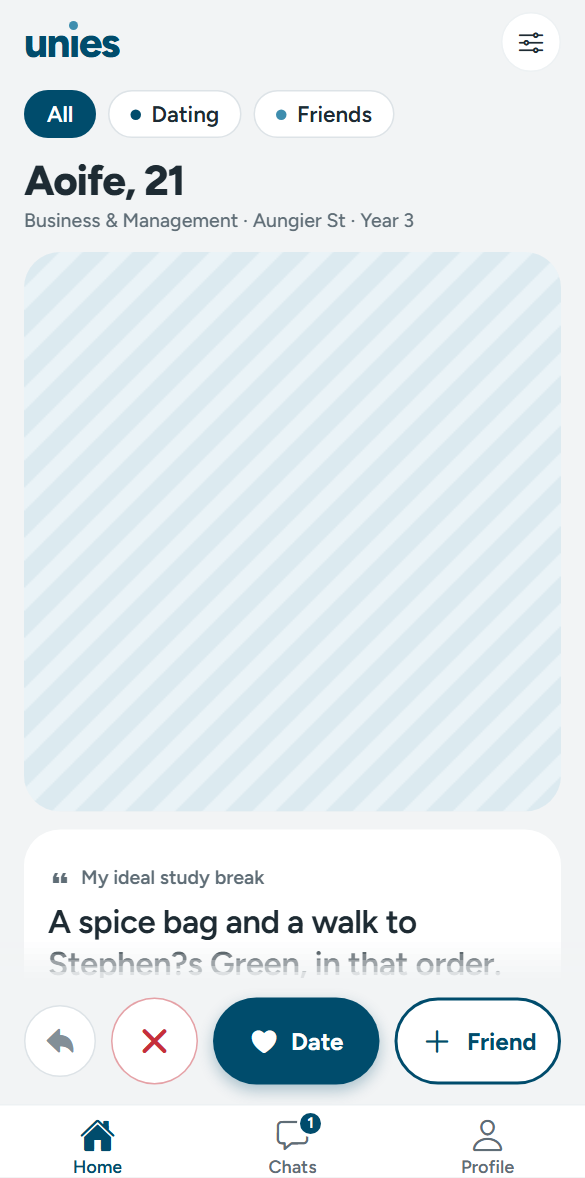
Use your @mytudublin.ie address. We’ll send you a six-digit code.
Choose Date, Friend or skip. You’ll see the options that fit both people’s preferences.
When you both add each other in the same mode, you can start a chat.
Meet someone who’s looking for a date and whose preferences match yours.
Find a study partner, a gym buddy or someone to get lunch with. Turn on one mode or both.
Five campuses, one app. Choose whether your course, year and campus appear on your profile.
Sign-in requires a student inbox. Everyone enters their date of birth before joining.
Your email stays private. Nobody sees an add unless you both match.
Unmatch or block someone from your chat. In-app reports are planned for v0.2.
TU Dublin students aged 18 or over with a student-number @mytudublin.ie email address.
Yes. You can join, match and chat for free.
We send a six-digit code to check that the inbox belongs to you. Your email stays off your profile.
Only a mutual add in the same mode becomes a match. A one-sided add stays private.
Yes. Open Unies in Safari and sign in with your student email. You can add it to your Home Screen.
Open Settings, choose Delete account and confirm with a fresh code sent to your student email.